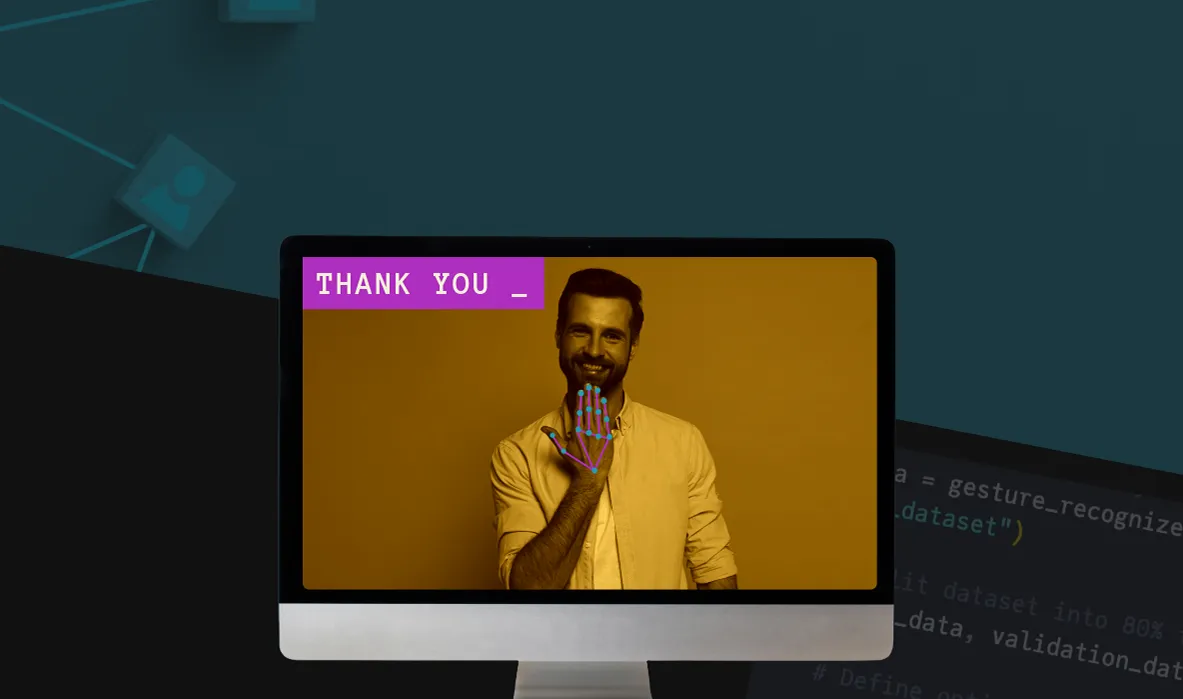
My sign2text model is a prototype that uses a webcam to recognize a small set of American Sign Language (ASL) letter and number gestures. Built with MediaPipe for hand tracking and a TensorFlow-based model trained on a dataset created for this project, it predicts gestures in real time and displays them as text.
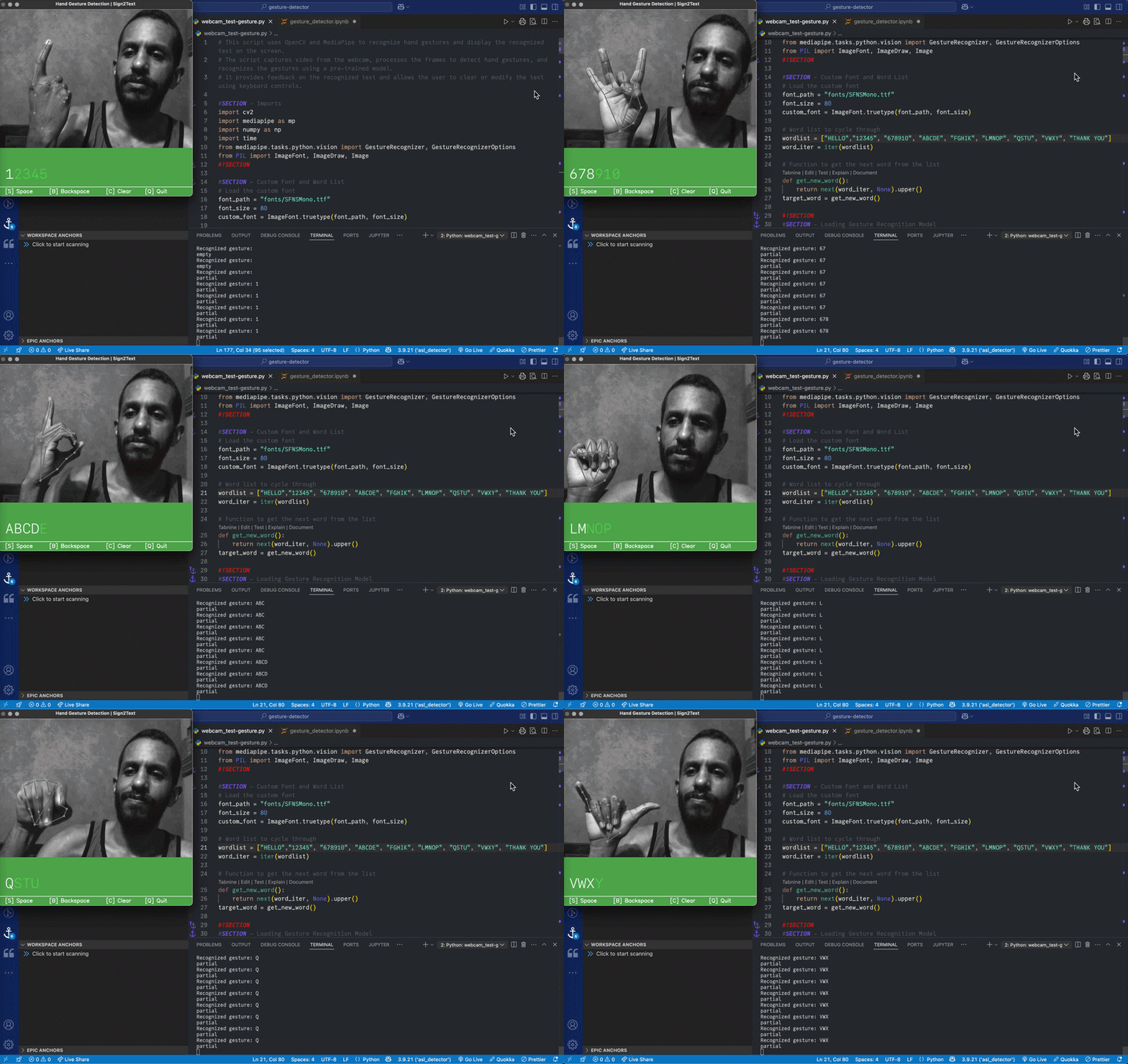
This project explores using gesture recognition to translate sign language into text in real time.
My initial idea was to develop a system using gloves with motion sensors that could detect hand movements and convert them into text. The goal was to support different types of gestures, including American Sign Language (ASL).
I spoke with members of the Deaf and hard-of-hearing community to better understand how they view sign language translation technologies.
A common concern was that many past projects—especially those involving sensor-based gloves—were developed without meaningful input from the Deaf community and ultimately proved impractical. These systems often focus only on hand signs, while overlooking key aspects of sign language such as facial expressions, body movement and cultural context.
There was also a broader concern about the premise behind these tools. Many of these projects assume that Deaf individuals should adapt to technologies designed for hearing users, rather than encouraging hearing individuals to learn and engage with sign language.
Based on this feedback and further research, I moved away from hardware-based solutions like gloves and focused on a camera-based approach using computer vision.
This approach allowed me to experiment with gesture recognition using a standard camera, while also building skills that could apply to other areas such as emotion recognition, body language analysis and interactive media.
The project followed a simple process:
Review existing gesture recognition methods.
Choose tools and define the scope.
Train a model on a dataset created for this project.
Combine hand tracking and real-time prediction.
Test and refine the system.
I reviewed existing projects to understand how others have approached sign language translation.
Many past projects focused on hardware-based solutions, such as gloves with motion sensors. However, these approaches often proved impractical and were not widely adopted by the Deaf community.
More recent work uses computer vision to track hand movements through a camera. This approach removes the need for additional hardware and allows for more flexible experimentation.
These examples helped shape my direction:
Avoid hardware-based solutions like gloves.
Focus on camera-based hand tracking.
Keep the scope limited to improve accuracy and performance.
To build the system, I focused on three main parts: training the model, recognizing gestures in real time and displaying the results.
Build and train the model
Load data from an ASL gesture dataset
Train and evaluate the model
Export the trained model
Detect and recognize gestures
Use MediaPipe to track hand positions
Apply the trained model to recognize gestures from the webcam feed
Display results
Convert recognized gestures into text
Design a simple interface to display results in real time
Test and refine
Test the system
Document problems and necessary improvements
Backup, make adjustments and retest
Version 1.0
The initial version of the system detects and recognizes hand gestures for numbers and displays them as text in real time. This gave me a push to add more features. I retrained the model to recognize all alphabet letters — except "J" and "Z" which require a moving hand gesture. The model had also some trouble recognizing the gesture for "R".
Version 2.0
After training, validating and testing the updated model, I made major changes to the user interface, turning the app into a small game. Instead of displaying single gestures, the system prompts the user with a sequence of letters and numbers, which must be matched with the correct hand gestures.
This version improves engagement while continuing to test the accuracy and responsiveness of the system.
This project resulted in a working real-time gesture recognition system and established a foundation for exploring more complex gestures and interactions.
I used Python for its machine learning ecosystem and worked in Google Colab to train and test the model with more computing power than my local system could handle.
Python 3.9.21
Google Colab
Microsoft Visual Studio Code
MediaPipe
MediaPipe Model Maker
NumPy
OpenCV
scikit-learn
TensorFlow
MacBook Pro 2020
Logi 1080p Webcam
Setting up the development environment required careful coordination between package versions. Many libraries had conflicting or deprecated versions and finding a working combination took significant trial and error.
The versions listed below reflect a stable setup that worked for this project.
| Package | Version |
|---|---|
| keras | 2.15.0 |
| mediapipe | 0.10.21 |
| mediapipe-model-maker | 0.2.1.4 |
| numpy | 1.23.5 |
| opencv-contrib-python | 4.11.0.86 |
| opencv-python | 4.11.0.86 |
| opencv-python-headless | 4.11.0.86 |
| scikit-learn | 1.6.1 |
| tensorflow | 2.15.1 |
| tensorflow-addons | 0.23.0 |
| tensorflow-datasets | 4.9.3 |
| tensorflow-estimator | 2.15.0 |
| tensorflow-hub | 0.16.1 |
| tensorflow-io-gcs-filesystem | 0.37.1 |
| tensorflow-metadata | 1.13.1 |
| tensorflow-model-optimization | 0.7.5 |
| tensorflow-text | 2.15.0 |
| tf_keras | 2.15.1 |
This video documents an earlier presentation of the project, including initial framing and development context.